Design it.Compare it.Perfect it.
Overlay Figma on your site. Spot every pixel difference.

0명의 개발자, QA 엔지니어, 디자이너가 합류했습니다
Thanks for your reviews
Mobile Developer
Dropped my Figma frame on top of localhost and instantly spotted a 4px padding issue I'd been missing for days. Would never have found it by eye.
Product Manager
Finally stopped the "can you move it 2px to the left" back-and-forth with engineering. One link and we're on the same page.

Data Analyst
I do design QA and this tool cut my review time in half. The diff mode highlights exactly what's off instead of squinting at two windows.
Mobile Developer
The Chrome extension workflow is seamless. Capture any site, import Figma designs, compare. The whole process takes about 30 seconds.
Product Manager
Our design handoff used to be messy. Now devs overlay the Figma file and self-check before PR. Design review comments dropped by 70%.
Data Analyst
The opacity slider for overlay mode is surprisingly effective. Set it to 50% and every misalignment becomes immediately visible.
Mobile Developer
Building responsive UIs is easier now. Stack mobile, tablet, desktop designs as layers and check all breakpoints in one view.
Product Manager
Showed this to my team on Monday, by Friday everyone had it installed. That rarely happens with new tools. It just solves a real pain point.
Mobile Developer
No more late-night "is this right?" Slack messages between me and design. We can both verify independently before any discussion.
Data Analyst
Used to spend 30 mins per component checking pixel alignment manually. Now it takes 30 seconds. The time savings add up quickly.
Product Manager
Junior devs on my team were struggling with design accuracy. Made pixelDiff part of our PR checklist and the issue resolved itself.
Mobile Developer
I freelance and client revisions were eating my profits. Now I get it right the first time because I can see exactly what I'm building against.
Mobile Developer
Dropped my Figma frame on top of localhost and instantly spotted a 4px padding issue I'd been missing for days. Would never have found it by eye.
Product Manager
Finally stopped the "can you move it 2px to the left" back-and-forth with engineering. One link and we're on the same page.
Data Analyst
I do design QA and this tool cut my review time in half. The diff mode highlights exactly what's off instead of squinting at two windows.
Mobile Developer
The Chrome extension workflow is seamless. Capture any site, import Figma designs, compare. The whole process takes about 30 seconds.
Product Manager
Our design handoff used to be messy. Now devs overlay the Figma file and self-check before PR. Design review comments dropped by 70%.
Data Analyst
The opacity slider for overlay mode is surprisingly effective. Set it to 50% and every misalignment becomes immediately visible.
Mobile Developer
Building responsive UIs is easier now. Stack mobile, tablet, desktop designs as layers and check all breakpoints in one view.
Product Manager
Showed this to my team on Monday, by Friday everyone had it installed. That rarely happens with new tools. It just solves a real pain point.
Mobile Developer
No more late-night "is this right?" Slack messages between me and design. We can both verify independently before any discussion.
Data Analyst
Used to spend 30 mins per component checking pixel alignment manually. Now it takes 30 seconds. The time savings add up quickly.
Product Manager
Junior devs on my team were struggling with design accuracy. Made pixelDiff part of our PR checklist and the issue resolved itself.
Mobile Developer
I freelance and client revisions were eating my profits. Now I get it right the first time because I can see exactly what I'm building against.
Mobile Developer
Dropped my Figma frame on top of localhost and instantly spotted a 4px padding issue I'd been missing for days. Would never have found it by eye.
Product Manager
Finally stopped the "can you move it 2px to the left" back-and-forth with engineering. One link and we're on the same page.
Data Analyst
I do design QA and this tool cut my review time in half. The diff mode highlights exactly what's off instead of squinting at two windows.
Mobile Developer
The Chrome extension workflow is seamless. Capture any site, import Figma designs, compare. The whole process takes about 30 seconds.
Product Manager
Our design handoff used to be messy. Now devs overlay the Figma file and self-check before PR. Design review comments dropped by 70%.
Data Analyst
The opacity slider for overlay mode is surprisingly effective. Set it to 50% and every misalignment becomes immediately visible.
Mobile Developer
Building responsive UIs is easier now. Stack mobile, tablet, desktop designs as layers and check all breakpoints in one view.
Product Manager
Showed this to my team on Monday, by Friday everyone had it installed. That rarely happens with new tools. It just solves a real pain point.
Mobile Developer
No more late-night "is this right?" Slack messages between me and design. We can both verify independently before any discussion.
Data Analyst
Used to spend 30 mins per component checking pixel alignment manually. Now it takes 30 seconds. The time savings add up quickly.
Product Manager
Junior devs on my team were struggling with design accuracy. Made pixelDiff part of our PR checklist and the issue resolved itself.
Mobile Developer
I freelance and client revisions were eating my profits. Now I get it right the first time because I can see exactly what I'm building against.
Mobile Developer
Dropped my Figma frame on top of localhost and instantly spotted a 4px padding issue I'd been missing for days. Would never have found it by eye.
Product Manager
Finally stopped the "can you move it 2px to the left" back-and-forth with engineering. One link and we're on the same page.
Data Analyst
I do design QA and this tool cut my review time in half. The diff mode highlights exactly what's off instead of squinting at two windows.
Mobile Developer
The Chrome extension workflow is seamless. Capture any site, import Figma designs, compare. The whole process takes about 30 seconds.
Product Manager
Our design handoff used to be messy. Now devs overlay the Figma file and self-check before PR. Design review comments dropped by 70%.
Data Analyst
The opacity slider for overlay mode is surprisingly effective. Set it to 50% and every misalignment becomes immediately visible.
Mobile Developer
Building responsive UIs is easier now. Stack mobile, tablet, desktop designs as layers and check all breakpoints in one view.
Product Manager
Showed this to my team on Monday, by Friday everyone had it installed. That rarely happens with new tools. It just solves a real pain point.
Mobile Developer
No more late-night "is this right?" Slack messages between me and design. We can both verify independently before any discussion.
Data Analyst
Used to spend 30 mins per component checking pixel alignment manually. Now it takes 30 seconds. The time savings add up quickly.
Product Manager
Junior devs on my team were struggling with design accuracy. Made pixelDiff part of our PR checklist and the issue resolved itself.
Mobile Developer
I freelance and client revisions were eating my profits. Now I get it right the first time because I can see exactly what I'm building against.
Real-time Website Capture
Capture live websites and compare them with your designs. Even iframe content is captured perfectly for accurate comparison.
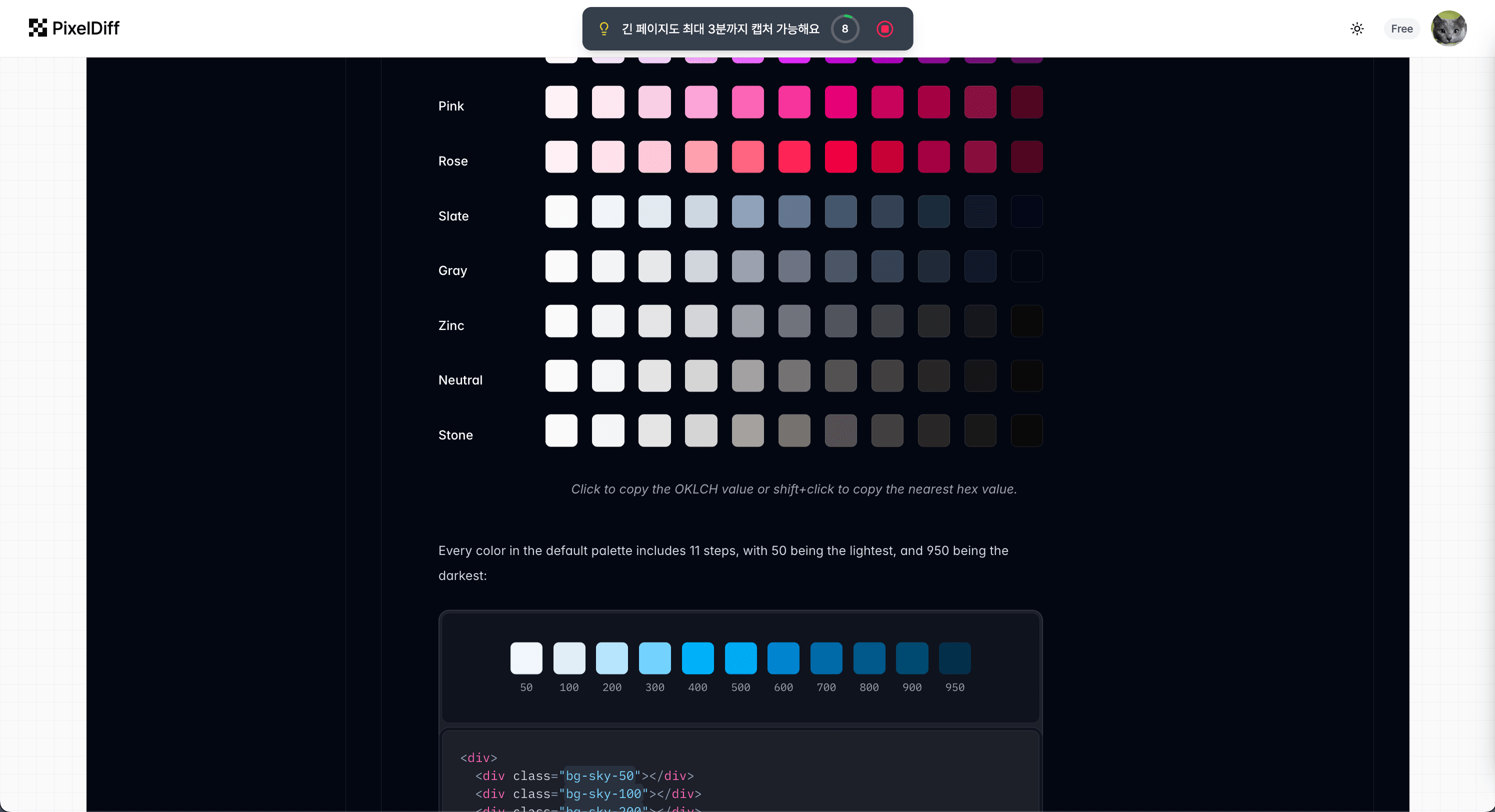
iframe Support
Perfectly captures embedded content, widgets, and other iframe elements.
Split Capture
Compare long pages by splitting them into multiple sections.
Real-time Sync
Automatically reflects website changes to keep everything up to date.
Figma Overlay
Overlay Figma designs on websites for pixel-level comparison. Adjust opacity to catch even the smallest differences.
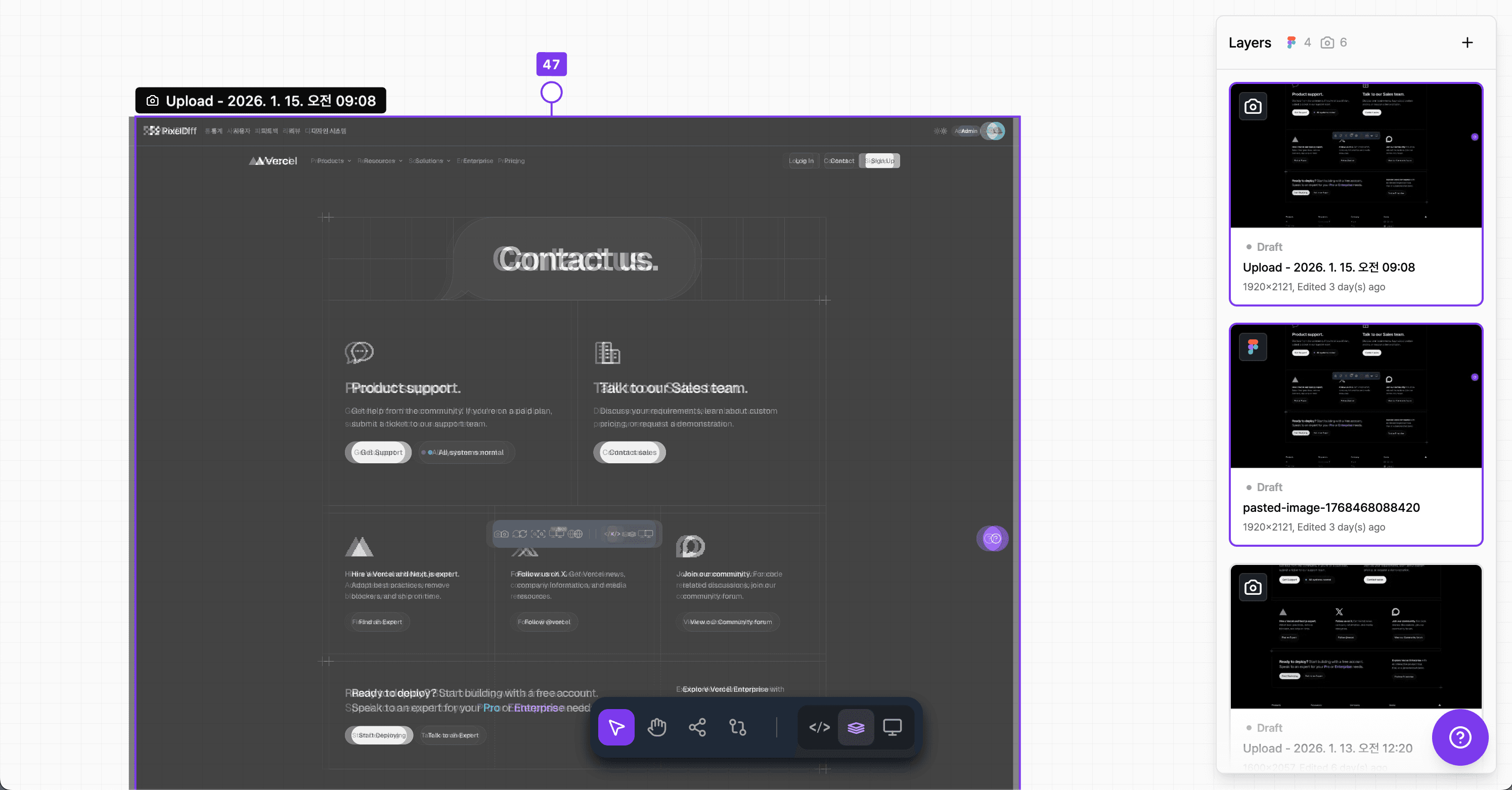
Opacity Control
Freely adjust overlay transparency with a slider for easy comparison.
Multi-layer
Stack multiple design versions as layers to compare simultaneously.
Diff Mode
Visually highlight differences to easily spot missed details.
Device Preview
View your designs in 20+ device frames including iPhone and Galaxy. Optimized for responsive design validation.
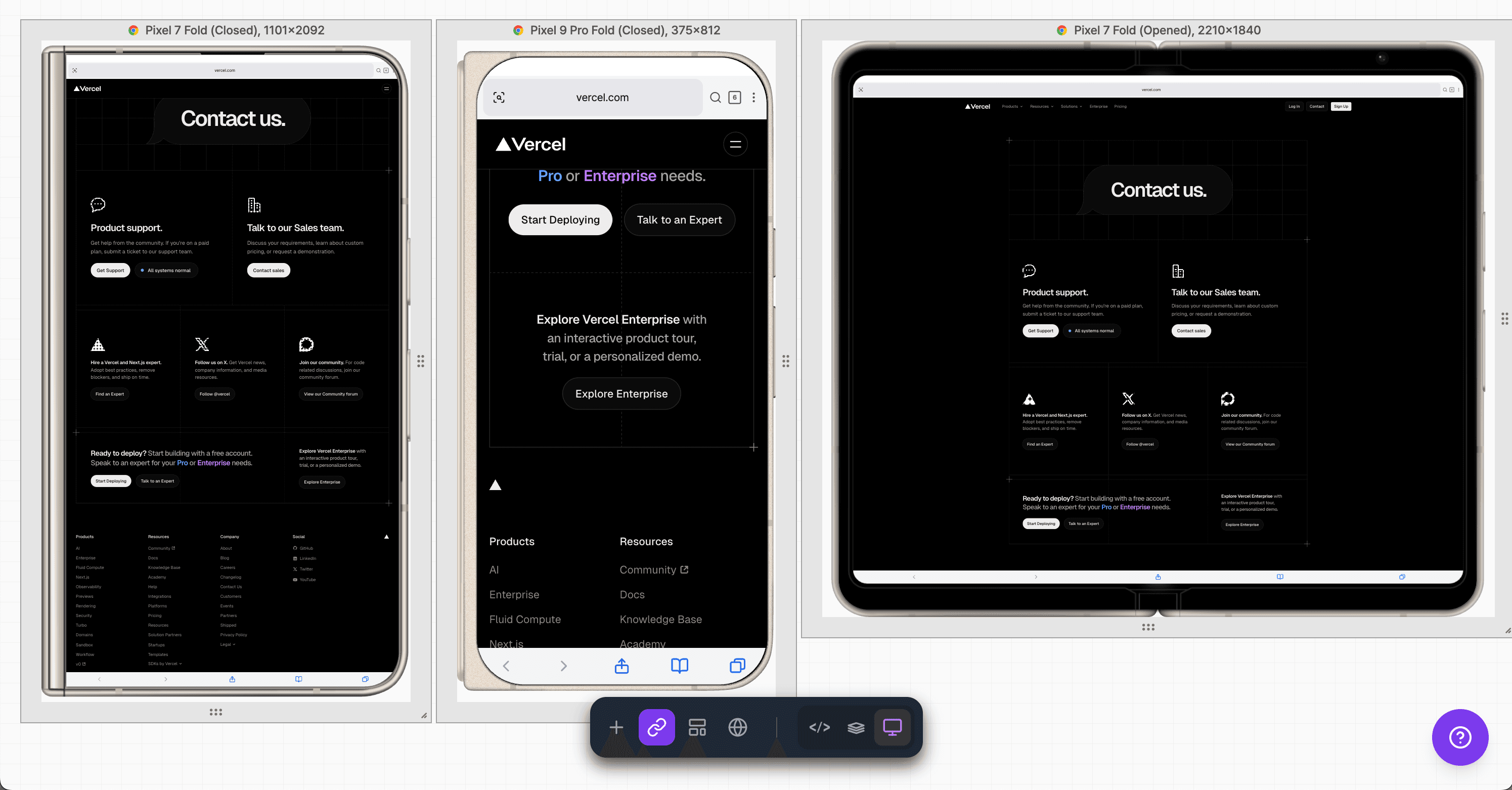
20+ Devices
Support for iPhone, Galaxy, iPad, and many more device frames.
Browser Frames
Apply Chrome, Safari, and other browser frames to your designs.
Custom Size
Set custom dimensions to test various resolutions.
Easy Sharing
Share comparison results with your team via a single link. No installation required - view directly in the browser.
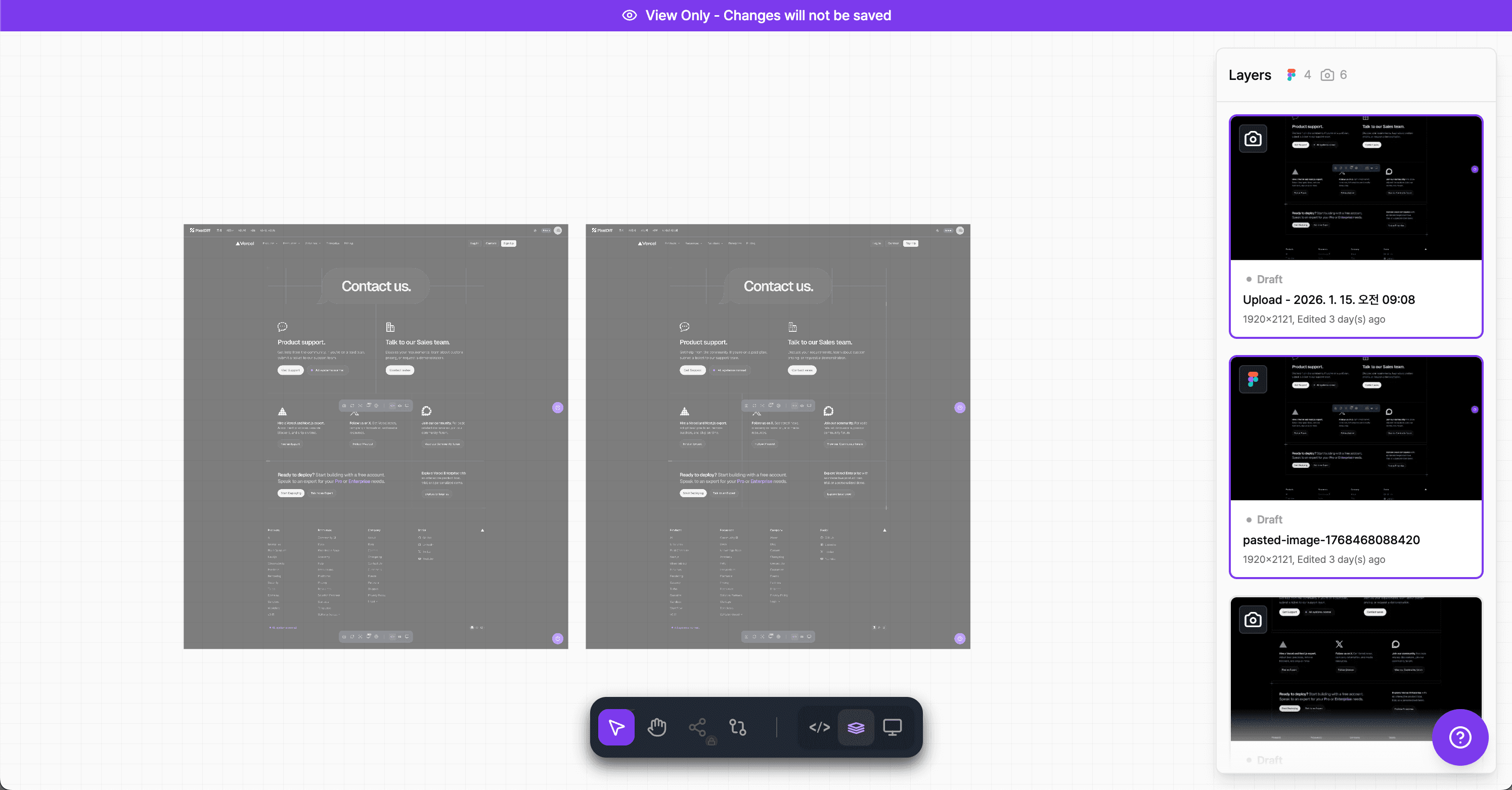
One-click Share
Generate and copy a share link with just one button click.
Team Collaboration
Designers, developers, and QA can collaborate on the same view.
What Users Say
Hundreds of developers and designers are boosting productivity with pixelDiff. See what real users have to say.
Verified Users
Real reviews from developers and designers actively using pixelDiff.
Diverse Use Cases
Used across frontend development, UI/UX design, QA, and more.
The Complete Toolkit for
Pixel-Perfect Results
Spot every difference between design and implementation in real-time.
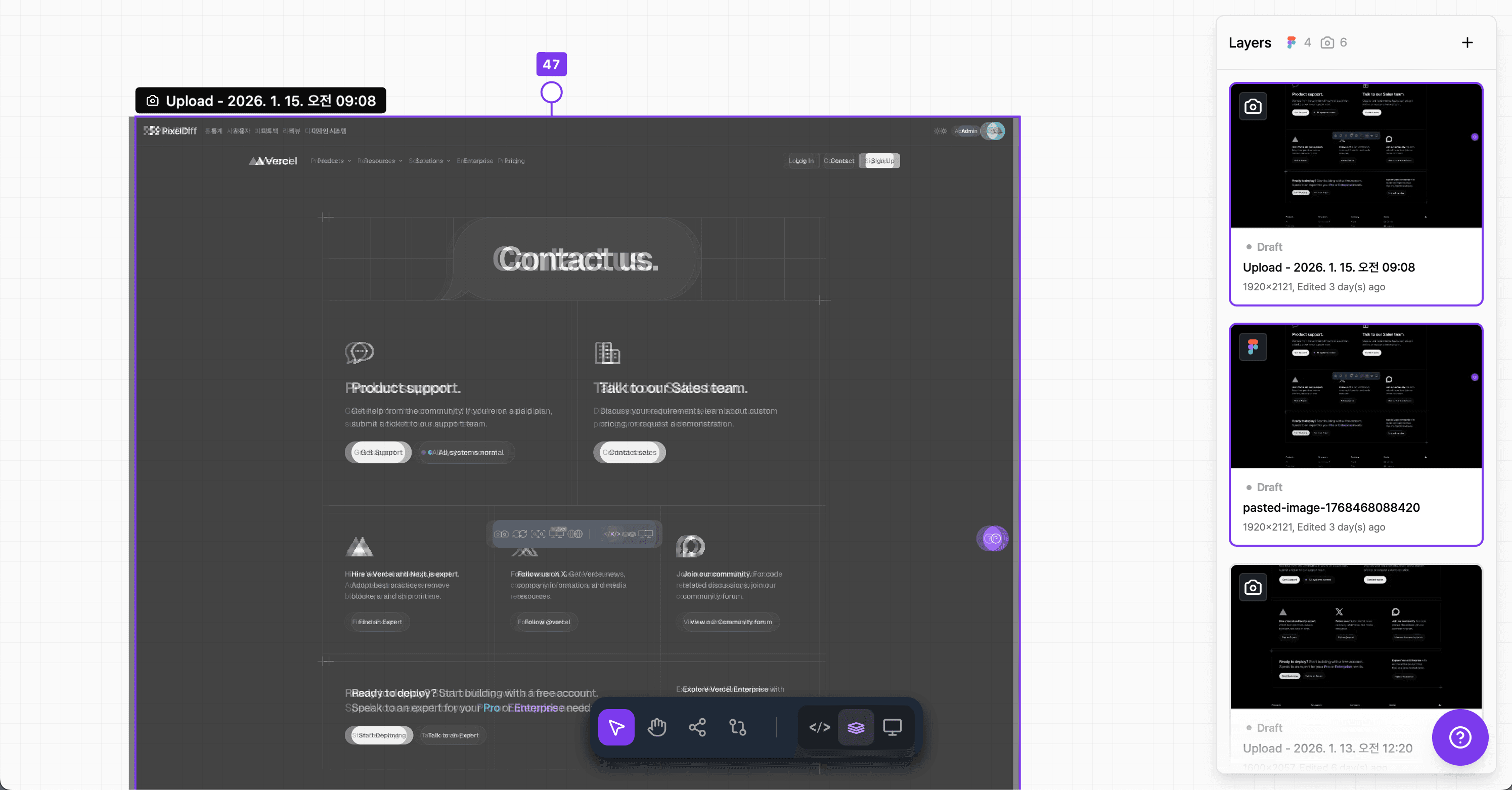
Figma Overlay
Overlay Figma designs on your website to spot pixel-level differences in real-time
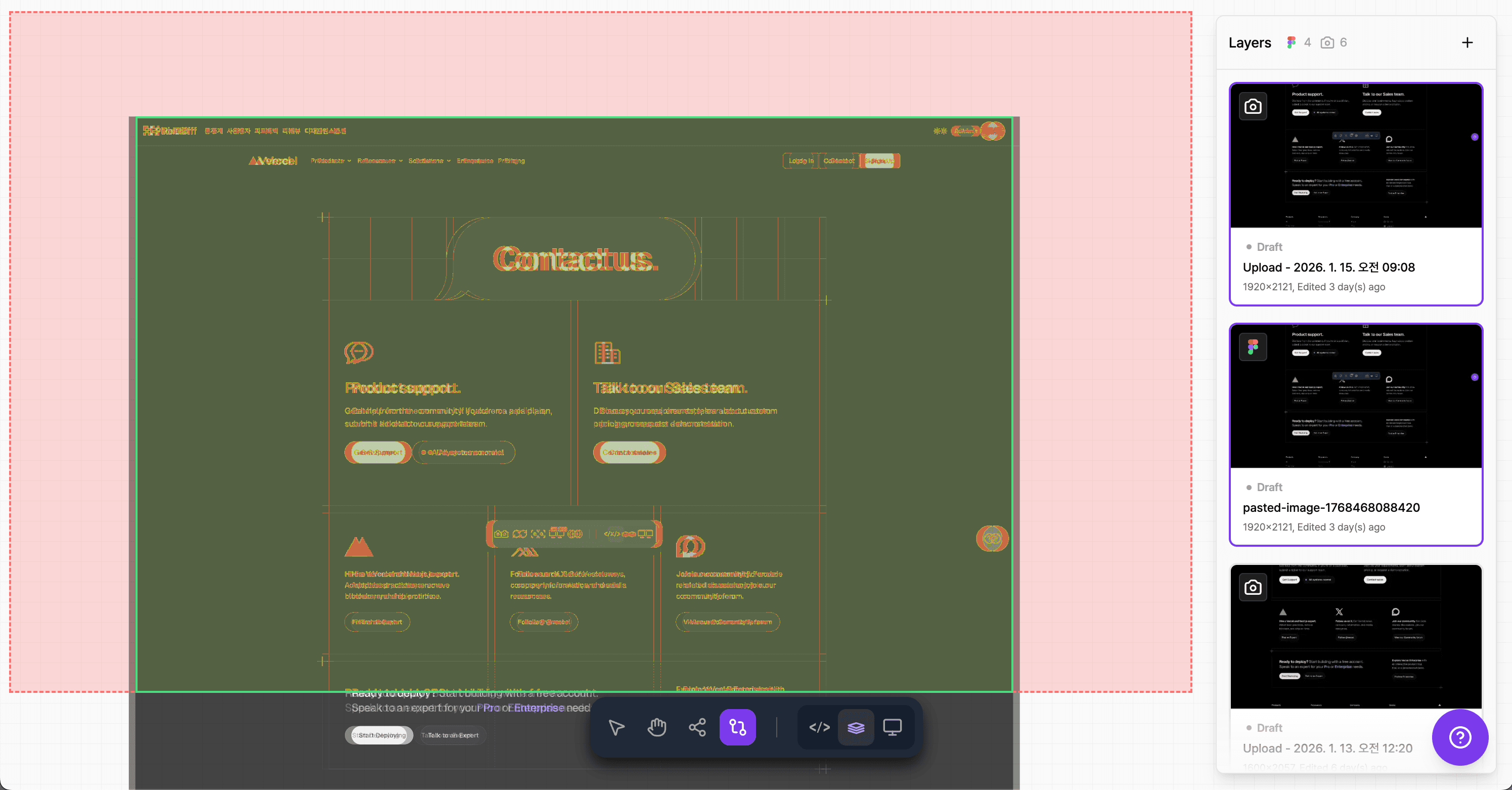
Diff Mode
Visually highlight differences between two screens to catch every missed detail
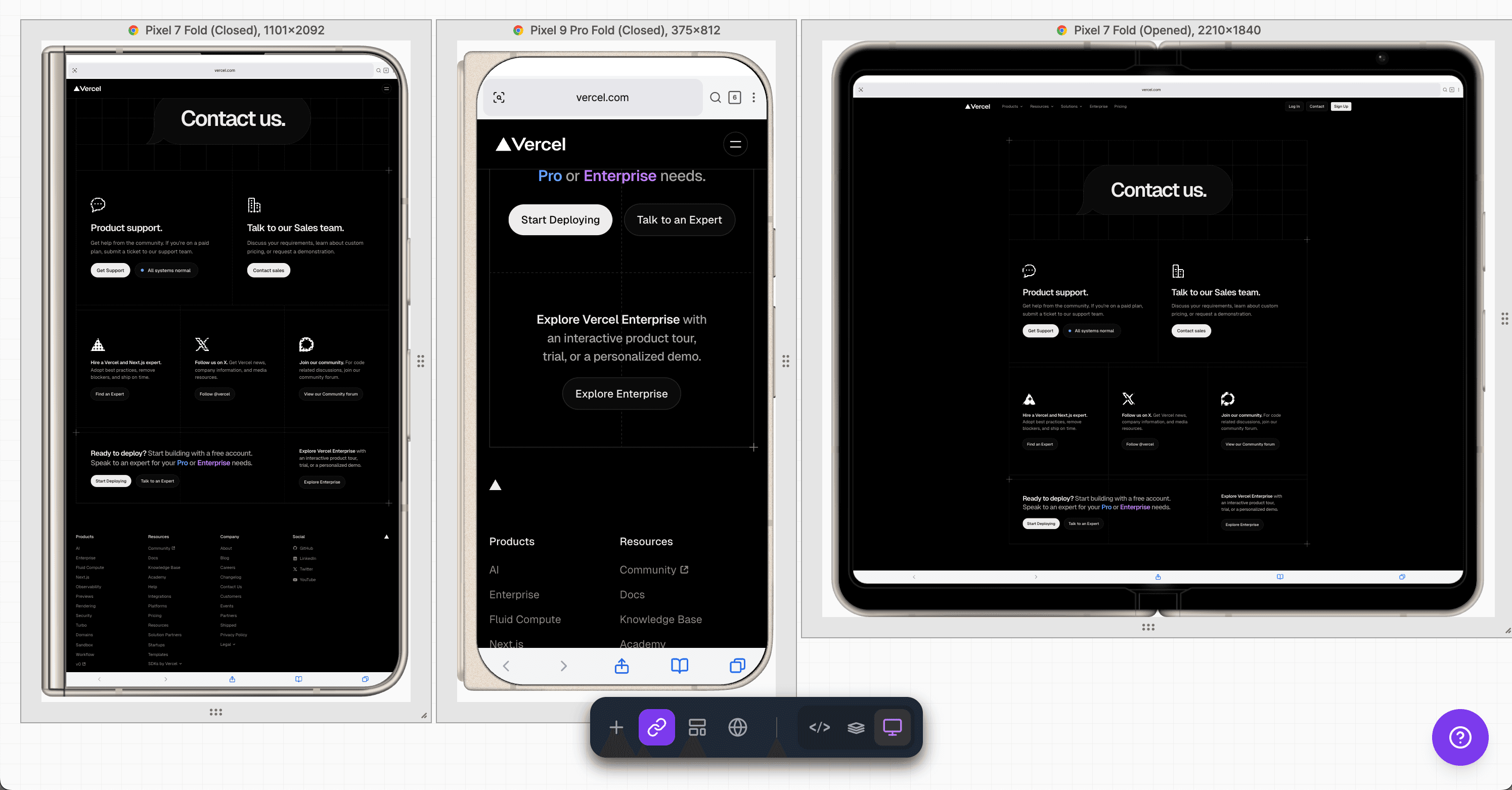
Device Preview
View your designs in 20+ device frames including iPhone and Galaxy
Mobile Developer
Dropped my Figma frame on top of localhost and instantly spotted a 4px padding issue I'd been missing for days. Would never have found it by eye.
Product Manager
Finally stopped the "can you move it 2px to the left" back-and-forth with engineering. One link and we're on the same page.
Data Analyst
I do design QA and this tool cut my review time in half. The diff mode highlights exactly what's off instead of squinting at two windows.
Mobile Developer
The Chrome extension workflow is seamless. Capture any site, import Figma designs, compare. The whole process takes about 30 seconds.
Product Manager
Our design handoff used to be messy. Now devs overlay the Figma file and self-check before PR. Design review comments dropped by 70%.
Data Analyst
The opacity slider for overlay mode is surprisingly effective. Set it to 50% and every misalignment becomes immediately visible.
Mobile Developer
Building responsive UIs is easier now. Stack mobile, tablet, desktop designs as layers and check all breakpoints in one view.
Product Manager
Showed this to my team on Monday, by Friday everyone had it installed. That rarely happens with new tools. It just solves a real pain point.
Mobile Developer
No more late-night "is this right?" Slack messages between me and design. We can both verify independently before any discussion.
Data Analyst
Used to spend 30 mins per component checking pixel alignment manually. Now it takes 30 seconds. The time savings add up quickly.
Product Manager
Junior devs on my team were struggling with design accuracy. Made pixelDiff part of our PR checklist and the issue resolved itself.
Mobile Developer
I freelance and client revisions were eating my profits. Now I get it right the first time because I can see exactly what I'm building against.
Mobile Developer
Dropped my Figma frame on top of localhost and instantly spotted a 4px padding issue I'd been missing for days. Would never have found it by eye.
Product Manager
Finally stopped the "can you move it 2px to the left" back-and-forth with engineering. One link and we're on the same page.
Data Analyst
I do design QA and this tool cut my review time in half. The diff mode highlights exactly what's off instead of squinting at two windows.
Mobile Developer
The Chrome extension workflow is seamless. Capture any site, import Figma designs, compare. The whole process takes about 30 seconds.
Product Manager
Our design handoff used to be messy. Now devs overlay the Figma file and self-check before PR. Design review comments dropped by 70%.
Data Analyst
The opacity slider for overlay mode is surprisingly effective. Set it to 50% and every misalignment becomes immediately visible.
Mobile Developer
Building responsive UIs is easier now. Stack mobile, tablet, desktop designs as layers and check all breakpoints in one view.
Product Manager
Showed this to my team on Monday, by Friday everyone had it installed. That rarely happens with new tools. It just solves a real pain point.
Mobile Developer
No more late-night "is this right?" Slack messages between me and design. We can both verify independently before any discussion.
Data Analyst
Used to spend 30 mins per component checking pixel alignment manually. Now it takes 30 seconds. The time savings add up quickly.
Product Manager
Junior devs on my team were struggling with design accuracy. Made pixelDiff part of our PR checklist and the issue resolved itself.
Mobile Developer
I freelance and client revisions were eating my profits. Now I get it right the first time because I can see exactly what I'm building against.
Mobile Developer
Dropped my Figma frame on top of localhost and instantly spotted a 4px padding issue I'd been missing for days. Would never have found it by eye.
Product Manager
Finally stopped the "can you move it 2px to the left" back-and-forth with engineering. One link and we're on the same page.
Data Analyst
I do design QA and this tool cut my review time in half. The diff mode highlights exactly what's off instead of squinting at two windows.
Mobile Developer
The Chrome extension workflow is seamless. Capture any site, import Figma designs, compare. The whole process takes about 30 seconds.
Product Manager
Our design handoff used to be messy. Now devs overlay the Figma file and self-check before PR. Design review comments dropped by 70%.
Data Analyst
The opacity slider for overlay mode is surprisingly effective. Set it to 50% and every misalignment becomes immediately visible.
Mobile Developer
Building responsive UIs is easier now. Stack mobile, tablet, desktop designs as layers and check all breakpoints in one view.
Product Manager
Showed this to my team on Monday, by Friday everyone had it installed. That rarely happens with new tools. It just solves a real pain point.
Mobile Developer
No more late-night "is this right?" Slack messages between me and design. We can both verify independently before any discussion.
Data Analyst
Used to spend 30 mins per component checking pixel alignment manually. Now it takes 30 seconds. The time savings add up quickly.
Product Manager
Junior devs on my team were struggling with design accuracy. Made pixelDiff part of our PR checklist and the issue resolved itself.
Mobile Developer
I freelance and client revisions were eating my profits. Now I get it right the first time because I can see exactly what I'm building against.
Mobile Developer
Dropped my Figma frame on top of localhost and instantly spotted a 4px padding issue I'd been missing for days. Would never have found it by eye.
Product Manager
Finally stopped the "can you move it 2px to the left" back-and-forth with engineering. One link and we're on the same page.
Data Analyst
I do design QA and this tool cut my review time in half. The diff mode highlights exactly what's off instead of squinting at two windows.
Mobile Developer
The Chrome extension workflow is seamless. Capture any site, import Figma designs, compare. The whole process takes about 30 seconds.
Product Manager
Our design handoff used to be messy. Now devs overlay the Figma file and self-check before PR. Design review comments dropped by 70%.
Data Analyst
The opacity slider for overlay mode is surprisingly effective. Set it to 50% and every misalignment becomes immediately visible.
Mobile Developer
Building responsive UIs is easier now. Stack mobile, tablet, desktop designs as layers and check all breakpoints in one view.
Product Manager
Showed this to my team on Monday, by Friday everyone had it installed. That rarely happens with new tools. It just solves a real pain point.
Mobile Developer
No more late-night "is this right?" Slack messages between me and design. We can both verify independently before any discussion.
Data Analyst
Used to spend 30 mins per component checking pixel alignment manually. Now it takes 30 seconds. The time savings add up quickly.
Product Manager
Junior devs on my team were struggling with design accuracy. Made pixelDiff part of our PR checklist and the issue resolved itself.
Mobile Developer
I freelance and client revisions were eating my profits. Now I get it right the first time because I can see exactly what I'm building against.
Data Analyst
The iframe support is essential for us. Our app has embedded widgets and other tools couldn't capture them properly.
Product Manager
Showed the diff view in a stakeholder meeting. They finally understood why small UI fixes sometimes take longer than expected.
Mobile Developer
Rebuilt our entire component library using this. Overlay mode plus Figma import means pixel-perfect components every time.
Data Analyst
We do a lot of A/B testing and this helps compare variations quickly. An unexpected benefit that's become part of our workflow.
Product Manager
Onboarding new designers is simpler now. Export from Figma, check in pixelDiff. A workflow anyone can follow immediately.
Mobile Developer
Dark mode implementation was difficult before. Layer toggle between light and dark themes caught 20+ inconsistencies I would have missed.
Data Analyst
QA team was skeptical at first. After one sprint they were asking why we didn't have this before. Now it's mandatory for UI tickets.
Product Manager
We're a fully remote team. This solved the "it looks different on my screen" problem. One link, same view for everyone.
Mobile Developer
Bootcamp grad here. My portfolio stood out because every project was pixel-perfect. This tool made that possible.
Data Analyst
Cross-browser testing is easier now. Capture Chrome, Firefox, Safari, stack them as layers, and spot the differences immediately.
Product Manager
Sprint retros used to list design accuracy as a recurring issue. Haven't seen it mentioned in three months.
Mobile Developer
I work on a design system team. Every component update goes through pixelDiff now. Consistency across 50+ components with zero regressions.
Data Analyst
The iframe support is essential for us. Our app has embedded widgets and other tools couldn't capture them properly.
Product Manager
Showed the diff view in a stakeholder meeting. They finally understood why small UI fixes sometimes take longer than expected.
Mobile Developer
Rebuilt our entire component library using this. Overlay mode plus Figma import means pixel-perfect components every time.
Data Analyst
We do a lot of A/B testing and this helps compare variations quickly. An unexpected benefit that's become part of our workflow.
Product Manager
Onboarding new designers is simpler now. Export from Figma, check in pixelDiff. A workflow anyone can follow immediately.
Mobile Developer
Dark mode implementation was difficult before. Layer toggle between light and dark themes caught 20+ inconsistencies I would have missed.
Data Analyst
QA team was skeptical at first. After one sprint they were asking why we didn't have this before. Now it's mandatory for UI tickets.
Product Manager
We're a fully remote team. This solved the "it looks different on my screen" problem. One link, same view for everyone.
Mobile Developer
Bootcamp grad here. My portfolio stood out because every project was pixel-perfect. This tool made that possible.
Data Analyst
Cross-browser testing is easier now. Capture Chrome, Firefox, Safari, stack them as layers, and spot the differences immediately.
Product Manager
Sprint retros used to list design accuracy as a recurring issue. Haven't seen it mentioned in three months.
Mobile Developer
I work on a design system team. Every component update goes through pixelDiff now. Consistency across 50+ components with zero regressions.
Data Analyst
The iframe support is essential for us. Our app has embedded widgets and other tools couldn't capture them properly.
Product Manager
Showed the diff view in a stakeholder meeting. They finally understood why small UI fixes sometimes take longer than expected.
Mobile Developer
Rebuilt our entire component library using this. Overlay mode plus Figma import means pixel-perfect components every time.
Data Analyst
We do a lot of A/B testing and this helps compare variations quickly. An unexpected benefit that's become part of our workflow.
Product Manager
Onboarding new designers is simpler now. Export from Figma, check in pixelDiff. A workflow anyone can follow immediately.
Mobile Developer
Dark mode implementation was difficult before. Layer toggle between light and dark themes caught 20+ inconsistencies I would have missed.
Data Analyst
QA team was skeptical at first. After one sprint they were asking why we didn't have this before. Now it's mandatory for UI tickets.
Product Manager
We're a fully remote team. This solved the "it looks different on my screen" problem. One link, same view for everyone.
Mobile Developer
Bootcamp grad here. My portfolio stood out because every project was pixel-perfect. This tool made that possible.
Data Analyst
Cross-browser testing is easier now. Capture Chrome, Firefox, Safari, stack them as layers, and spot the differences immediately.
Product Manager
Sprint retros used to list design accuracy as a recurring issue. Haven't seen it mentioned in three months.
Mobile Developer
I work on a design system team. Every component update goes through pixelDiff now. Consistency across 50+ components with zero regressions.
Data Analyst
The iframe support is essential for us. Our app has embedded widgets and other tools couldn't capture them properly.
Product Manager
Showed the diff view in a stakeholder meeting. They finally understood why small UI fixes sometimes take longer than expected.
Mobile Developer
Rebuilt our entire component library using this. Overlay mode plus Figma import means pixel-perfect components every time.
Data Analyst
We do a lot of A/B testing and this helps compare variations quickly. An unexpected benefit that's become part of our workflow.
Product Manager
Onboarding new designers is simpler now. Export from Figma, check in pixelDiff. A workflow anyone can follow immediately.
Mobile Developer
Dark mode implementation was difficult before. Layer toggle between light and dark themes caught 20+ inconsistencies I would have missed.
Data Analyst
QA team was skeptical at first. After one sprint they were asking why we didn't have this before. Now it's mandatory for UI tickets.
Product Manager
We're a fully remote team. This solved the "it looks different on my screen" problem. One link, same view for everyone.
Mobile Developer
Bootcamp grad here. My portfolio stood out because every project was pixel-perfect. This tool made that possible.
Data Analyst
Cross-browser testing is easier now. Capture Chrome, Firefox, Safari, stack them as layers, and spot the differences immediately.
Product Manager
Sprint retros used to list design accuracy as a recurring issue. Haven't seen it mentioned in three months.
Mobile Developer
I work on a design system team. Every component update goes through pixelDiff now. Consistency across 50+ components with zero regressions.
Frequently Asked Questions
Ready to close the gap between design and code?
Join 1500+ developers, QA engineers, and designers